AcahtiThe app
Board
Your overview on the instance. What needs your attention now, what your team has been doing, and for managers, where open work stands across the organization.
Board is the first tab and the page an instance opens on. It answers two questions: what needs me now, and what has the team been doing.
Needs attention#
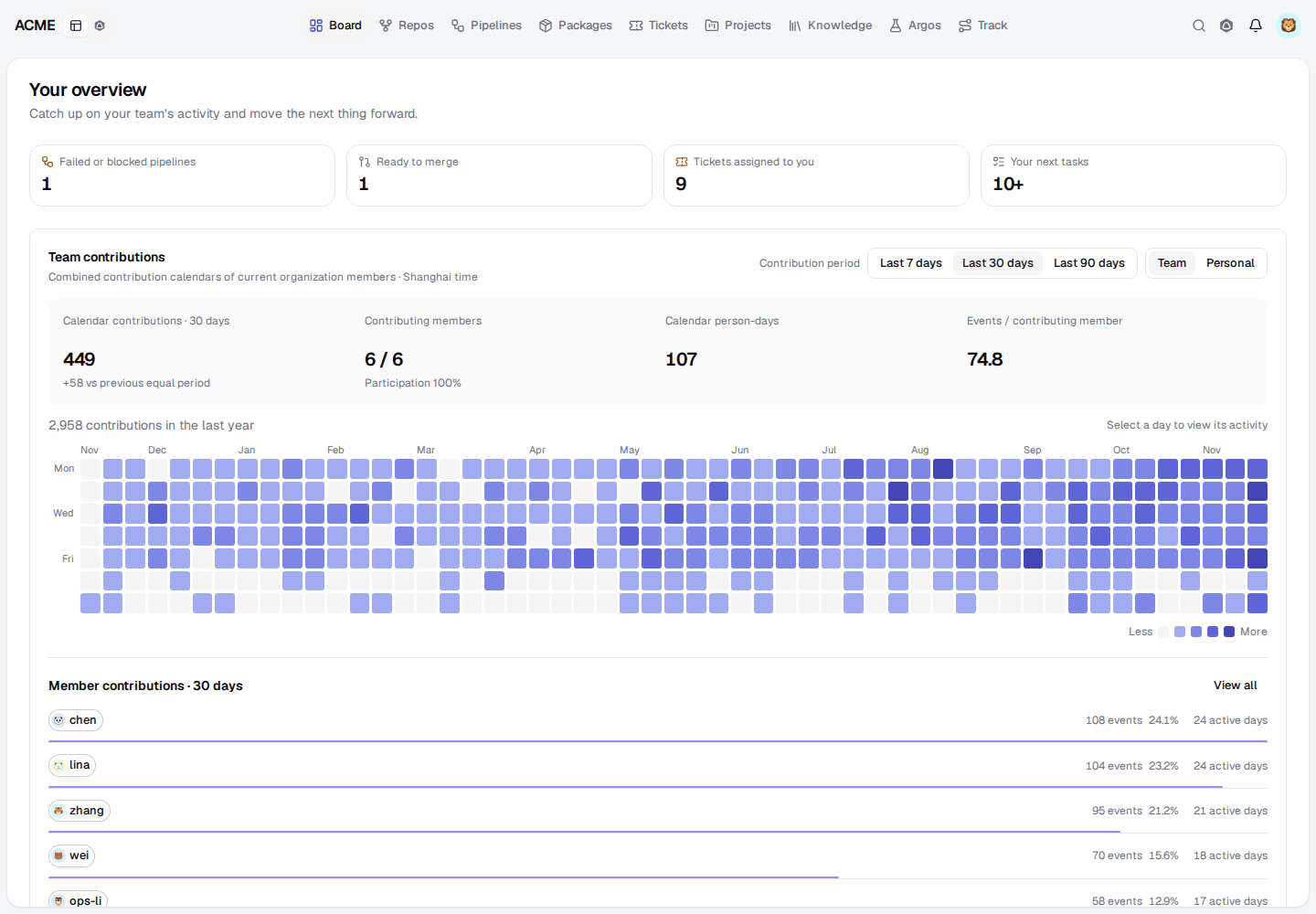
Four counts lead the page; select one to jump to its list:
| Group | Lists |
|---|---|
| Failed or blocked pipelines | The latest failed run of each repository, and deploys awaiting approval |
| Ready to merge | Open pull requests whose newest pipeline on the head is green |
| Tickets assigned to you | Your open tickets |
| Your next tasks | Your unfinished todos, with their due days |
Each row says what to do next: investigate a failure, review a deployment, or
review a pull request. These are the same lists an agent reads with inbox, so
people and agents work from one queue.
Activity#
The contribution calendar shows the team's, or your own, activity over the last year; select a day to see what happened on it. The activity feed lists recent updates from the repositories you can read, for the team or just you.
Organization analysis#
Organization administrators and Work managers also see an analysis of open work: open tickets and todos, blocked, overdue and unassigned work, intake against completions over a trend period, and a breakdown by status, project or assignee. Select any count to list the work behind it.
Arrange the page#
The Board is made of cards. Drag a card, or move it with the keyboard, to reorder them; Reset card order puts them back.
For agents: board.mdEdit this page